 Eikonaut
Pick, caption, deliver.
The fast photo browser for photographers who caption on the run. For Mac.
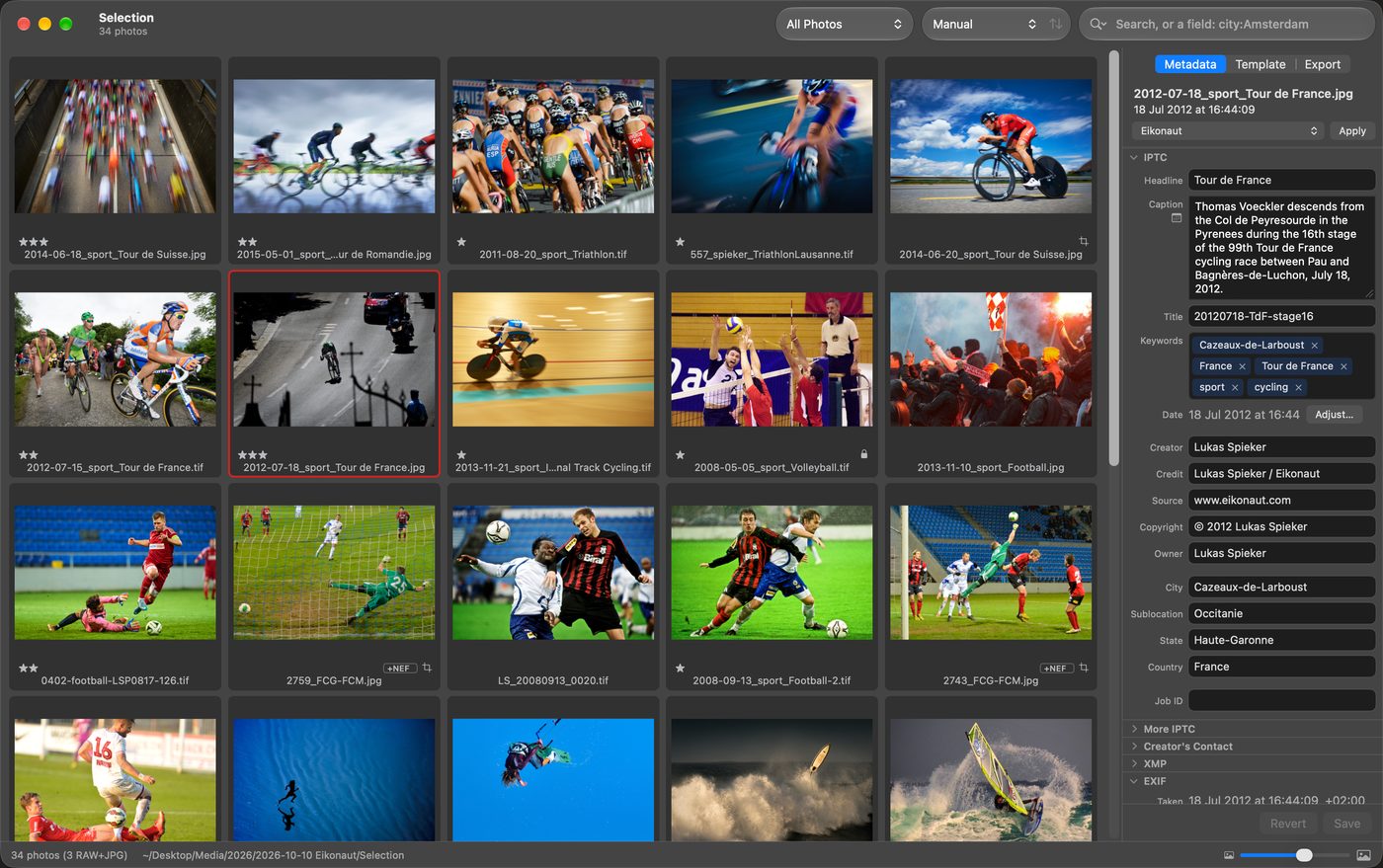
Simple.
Your workflow, nothing else.
Open a folder or a card and start. No catalog, no library to maintain.
Fast.
A folder of over 400 photos on screen in under 1 second.
How we measured
From launching Eikonaut to the first screen of thumbnails: a folder of 414 photos on the Mac's own SSD, pre-release build, 14 October 2026. Warm: opened again, with the files in macOS's cache. Cold: the first launch after a restart.
| MacBook Pro, M1 Pro (2021) | 0.73 s warm · 0.84 s cold |
|---|
Full screen flips without waiting. RAW files show at once.
Open.
The file is the record.
Captions, keywords and ratings go into the photo itself, in standard IPTC and XMP; for RAW, video and HEIC into a sidecar next to it. Every tool that reads IPTC reads them: your agency’s system, your archive.
Safe.
Nothing is lost.
Every write is read back and checked. The image data of your originals is never changed; RAW files are never written. Everything can be undone, even after a restart.
Card in. Out to the desk.




01 Card in.
Import copies to your working folder and a backup at once, each file verified.
02 Pick.
Stars with one key, full screen, 1:1 to check focus. Neutral grey around the photos if you like.
03 Caption.
Templates, variables, batch or one by one.
04 Deliver.
Export presets with size, colour, name and watermark; your upload script runs after.
Bring your archive with you.
Eikonaut reads and writes the standard IPTC and XMP fields, so an archive captioned in another photo browser opens as it is, and other tools that read IPTC read what Eikonaut writes.
Guides for switching →Made for Apple silicon · No account, no cloud, no tracking · Pay once